
Org charts are essential during restructures, workforce planning and key decision-making.
Yet according to Gartner’s Future of HR report, HR leaders are under pressure to modernise their tools and automate operational tasks but many still rely on manual org charts that create bottlenecks.
If you’re still juggling Excel and Visio to build yours, you’re not alone but it may be costing you more than you realise.
The current process for manual org charts
In our conversations with HR teams across Australia and New Zealand, we often hear a familiar story.
Here’s what the manual org charts process usually looks like:
- HRIS data pull: Often done manually and often more than once. Depending on the system, pulling clean, up-to-date data can take anywhere from 30 minutes to a few hours.
- Excel cleanup: Before the data is even chart-ready, teams spend 2 – 4 hours fixing reporting lines, merging data sources, cleaning job titles and removing duplicates.
- Manual formatting in Visio: Dragging boxes, aligning shapes and redrawing reporting lines can take upwards of 6 hours, especially if the structure is complex or frequently changing.
- Exporting to PowerPoint: Charts are copied and pasted into decks for leadership or consultation packs. Every version request means a new round of editing. In some cases, teams manage multiple versions of the same structure for different audiences.
By the time it’s done, the structure has already changed. This approach might get the job done, but it’s slow, prone to errors and uses up time that could be spent on strategic planning instead.
5 ways Excel and Visio are slowing you down
Manual org charting causes more stress than it should. Here’s where time and energy are usually lost:
- Endless data cleaning before you even start – Data from your HRIS usually needs work. You’re fixing position titles, updating reporting lines and removing duplicates just to get started.
- Manual formatting in Visio takes hours – Every box and line is done by hand. If you need to move a team or change structure, you’re back to rearranging everything manually.
- No easy way to refresh data – When roles change or people move, there’s no simple update. You’re starting again from scratch with new exports and cleanup.
- Too much room for errors – Mistakes happen. Outdated names, incorrect reporting lines or the wrong person in the wrong role. These issues can throw off entire planning conversations.
- Limited visibility for decision makers – By the time charts are shared, they’re often out of date. When leaders ask for a different view, that usually means building another version from scratch.
What a better org chart process looks like
Here’s what it looks like when the process works for you:
- Live, automated updates from your HRIS
- Built-in logic to handle acting roles, vacancies and classifications
- Side-by-side views for current and proposed structures
- One-click exports and live views for executive teams
Real needs, real solutions
We’ve worked with many organisations navigating restructures and complex workforce planning including one of our enterprise government customers.
Here’s what we helped solve for their HR team:
- Dynamic org chart generation – Gain major efficiencies by automating your org charts and syncing them with your HRIS (or multiple data sources).

- Visualisation rules – Automatically colour code changes, highlight impacted teams and flag new or at-risk roles. Users can apply slider-based filters for key metrics like Span of Control, FTE, age, gender percentage and more, as shown in the example below.

- Matrix reporting – Clearly show dotted-line relationships and dual managers across departments.
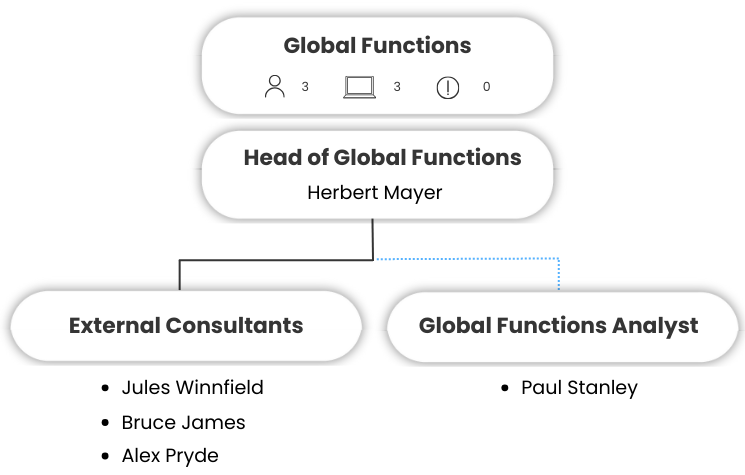
- Consultation and executive packs – Anonymise charts and position-only views to meet privacy and communication needs.

- Easy export – Export lists or reports as CSV, PDF or image files for further processing or analysis.

Why it matters now
Org charts aren’t just visuals. They’re a key part of how organisations communicate, plan and make decisions during change. When the charting process is manual, it increases the risk of rework, confusion and missed opportunities.
If you’re planning a restructure or just trying to keep your org view up to date, manual org charts will only slow you down. It’s worth making the process easier.
Ready to get off the merry go-round of creating and maintaining charts?
Book a demo of org.manager to see how you can automate this entire process. It’s time to stop the repetitive admin and start focusing on more value adding tasks for you and your organisation.